via iCrew
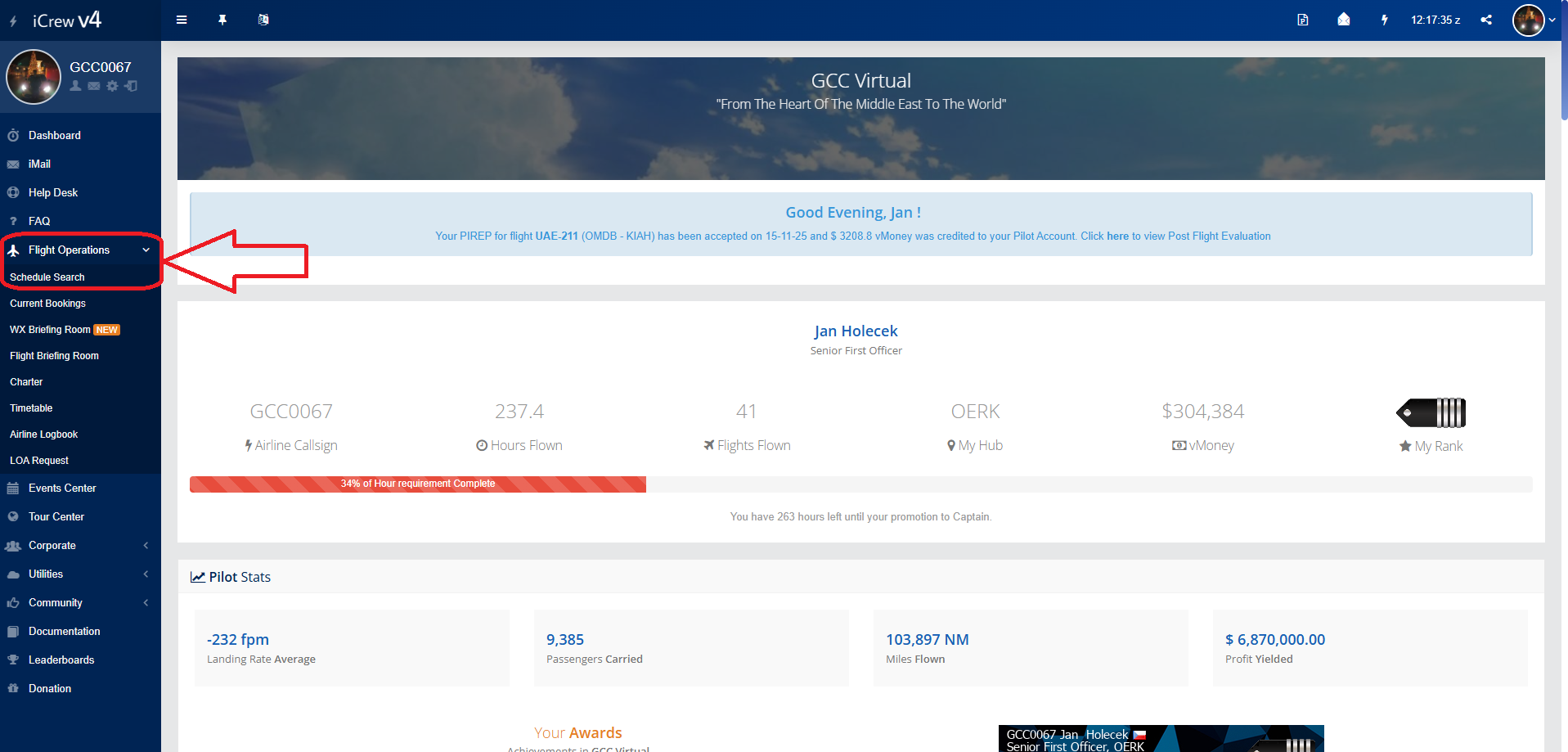
To book a flight, we can find the "Flight Operations" tab on the left menu on the main page. Then we select "Schedule Search"
After clicking, you will see this page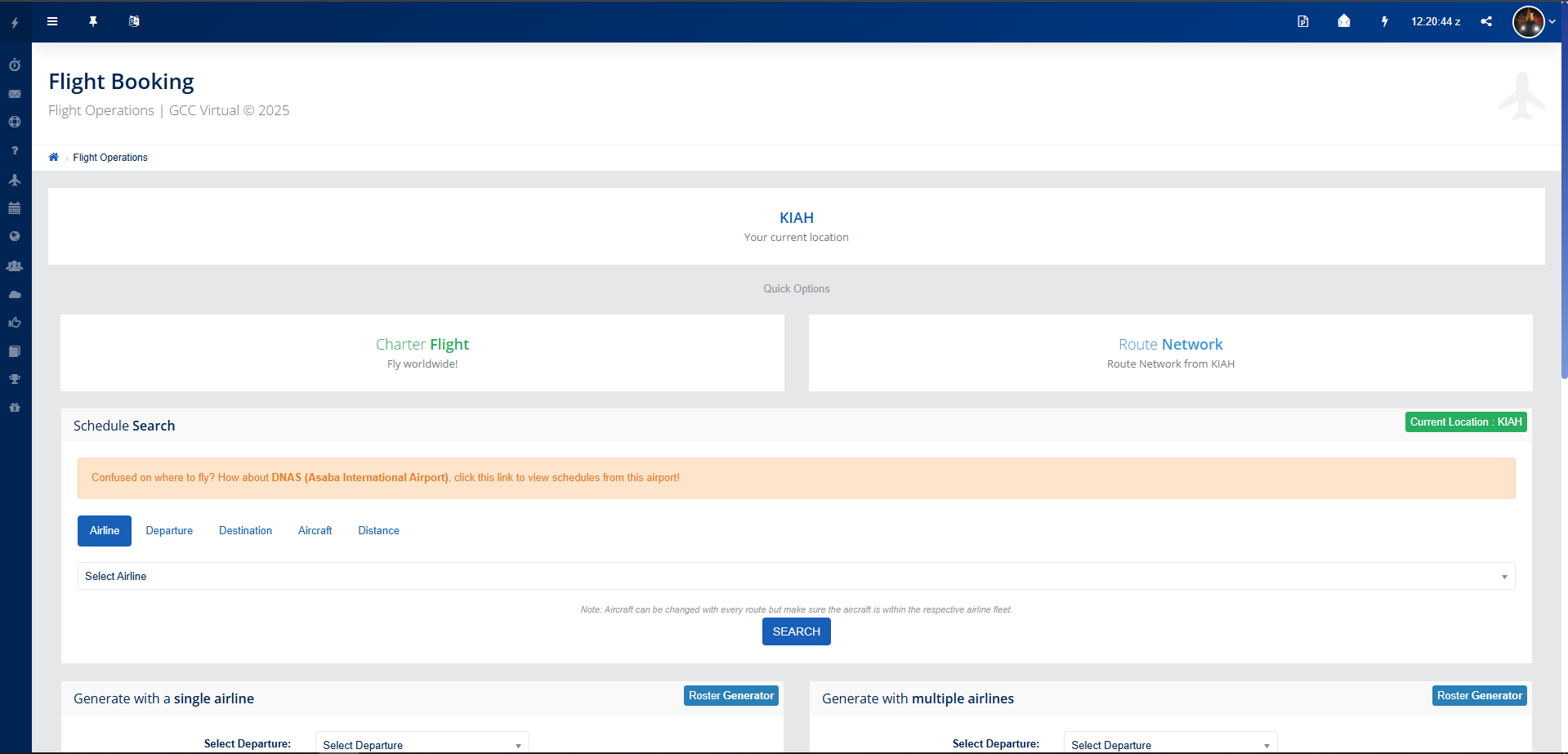
If you want to find a scheduled flight, we will use the tools in the "Schedule Search" window.
Here we can search for flights by various filters: Airlines, Departure, Destination, Aircraft and Distance. These filters can also be combined.
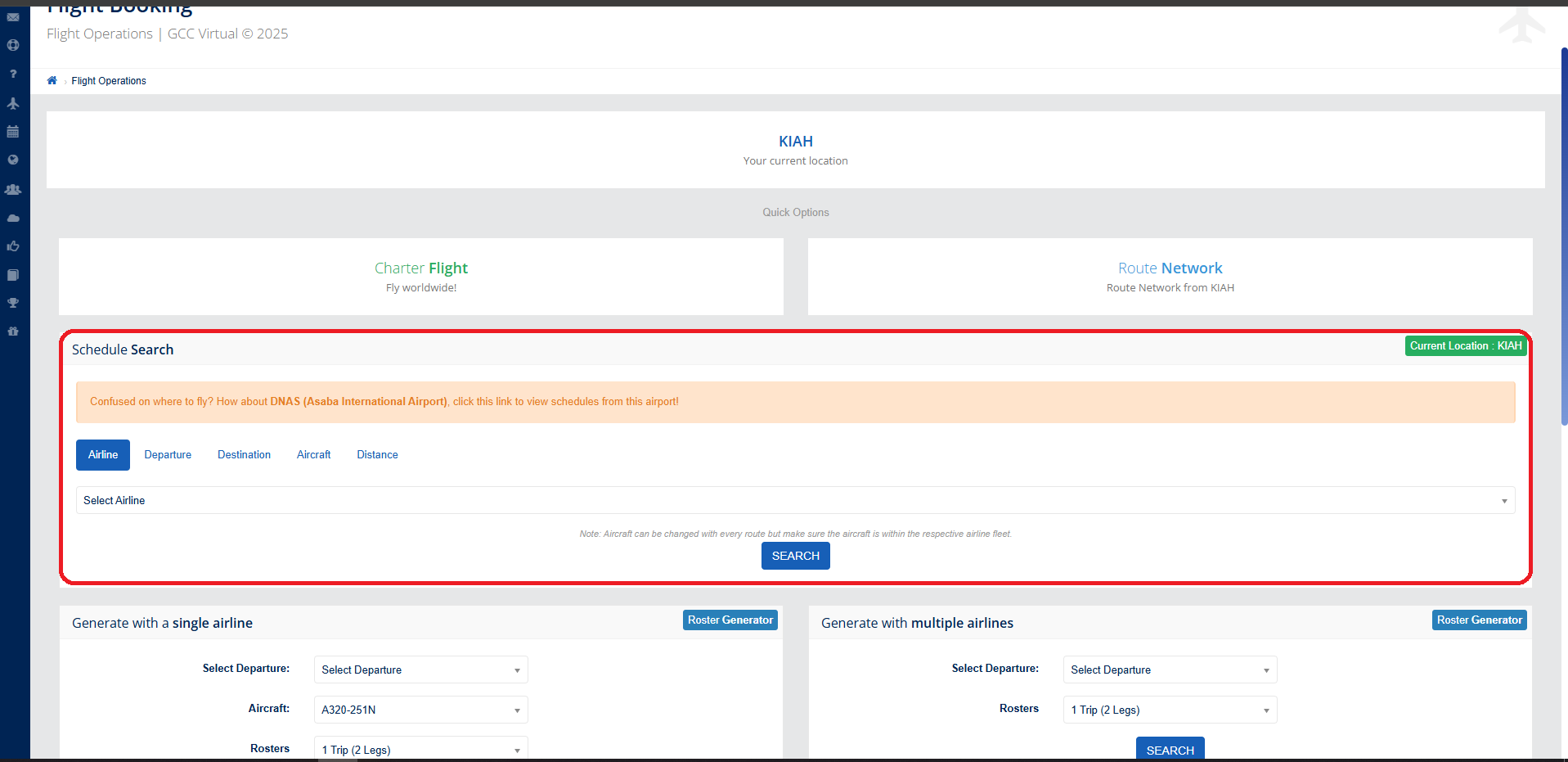
Example:
Now we will show you how to book a flight from Doha to Prague.
1. In the Departure filter we find Doha airport (OTHH)

2. In the Destination filter we find Prague airport (LKPR)

Now we click on "Search"

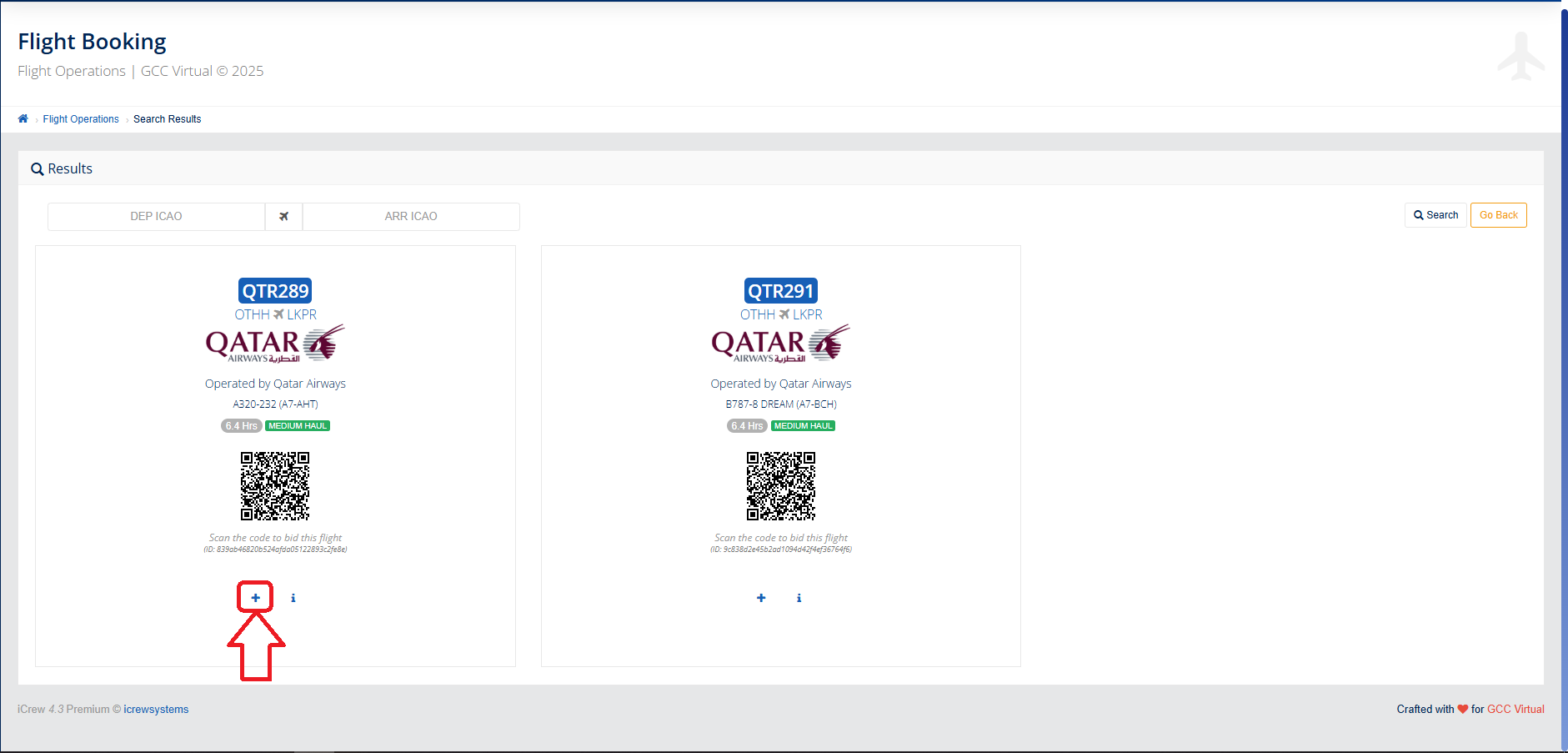
Now we can see that we have two flights here that we can book.
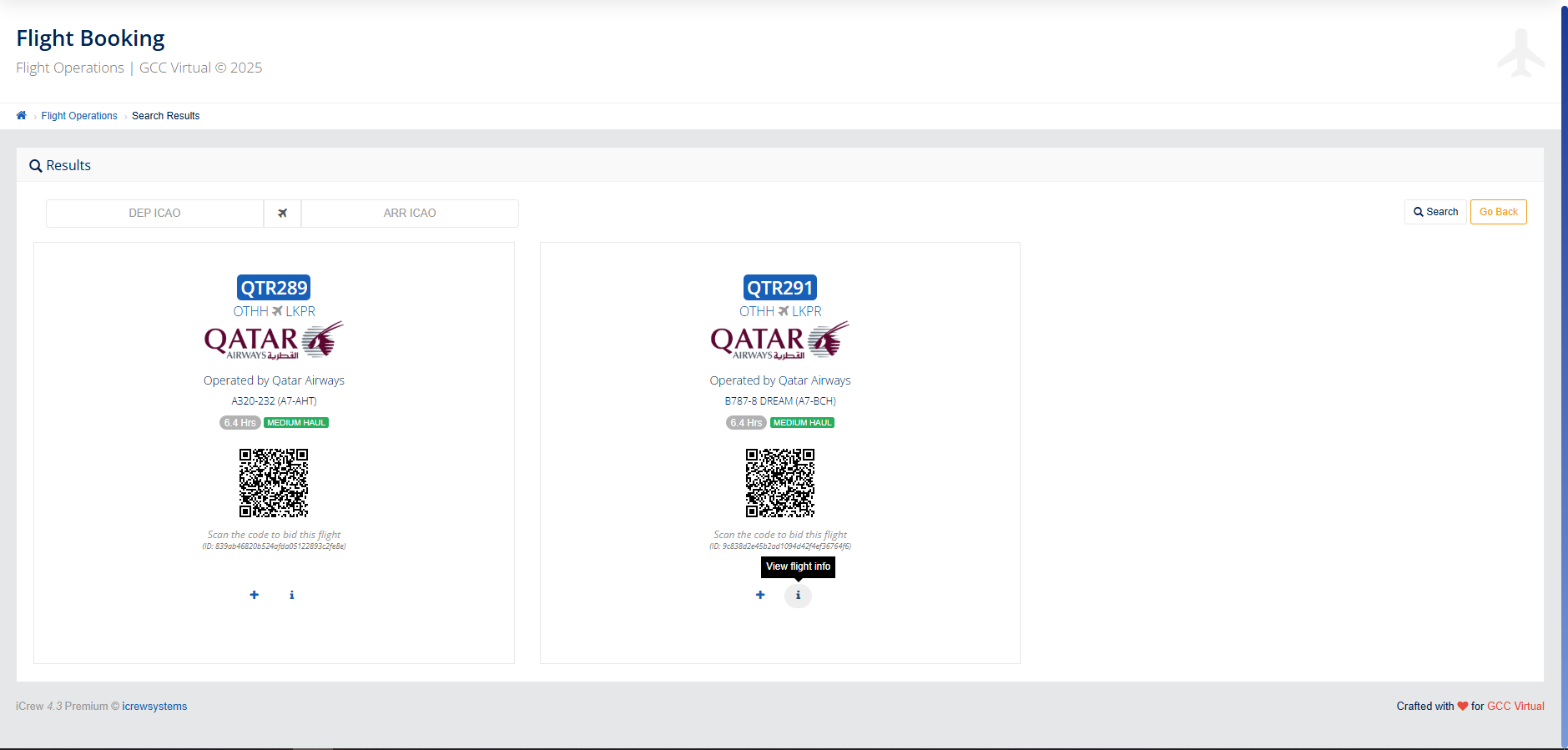
If we want to book a flight, we click on the + next to the flight we have chosen.