
Briefing page
1. General:
We have already shown you how to book via iCrew and SmartCARS. We have booked the flight. Now we need to prepare the flight so that we know how much fuel we need, how many passengers we will carry and the basic flight data. For this we will use Flight Briefing.
2. How to Get a Flight Briefing:
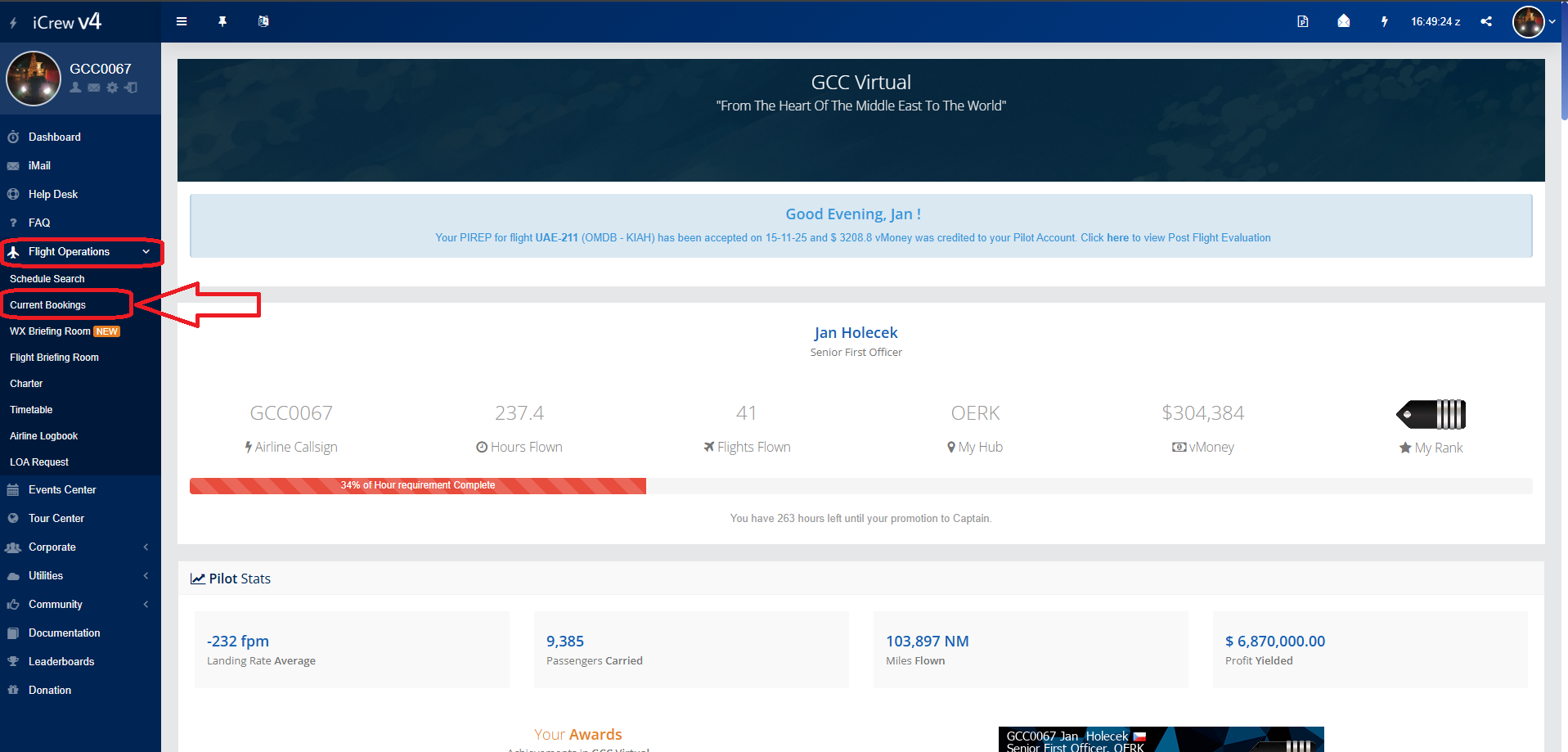
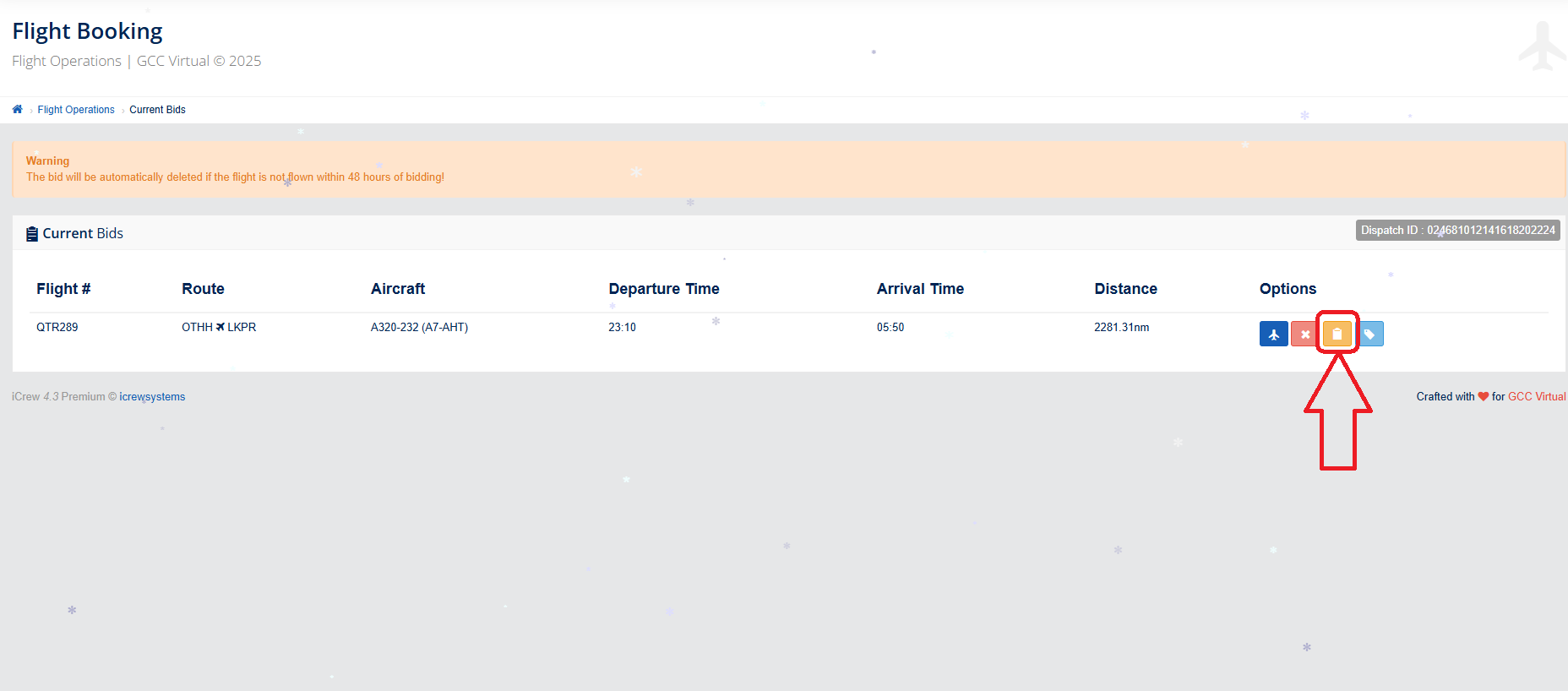
If we want to create a Flight Briefing, we must first select Flight Operations on the main page, then Current Bookings and finally select the "Schedule Briefing" icon.
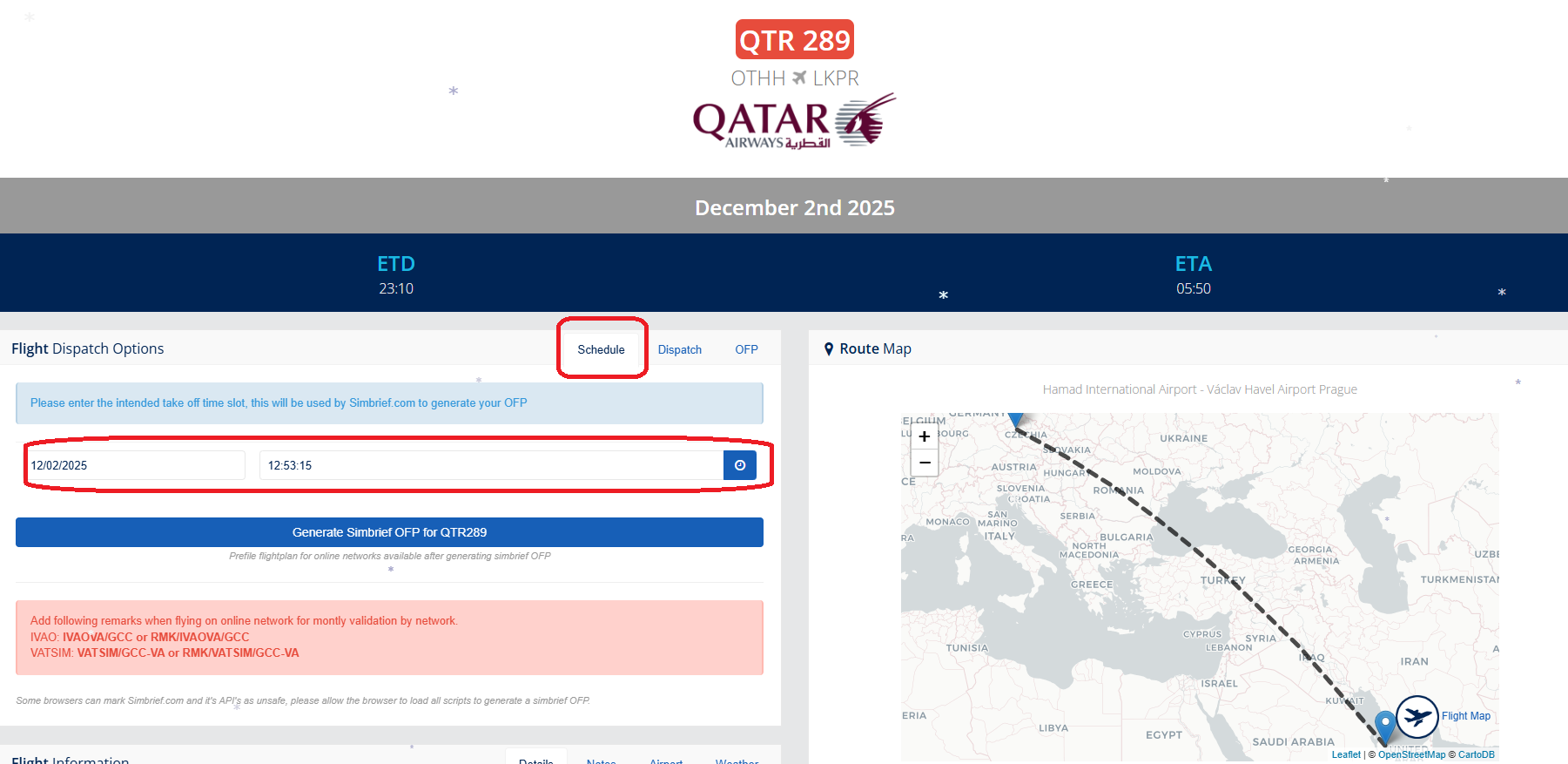
Schedule tab:
Here I choose the date and time of the flight.
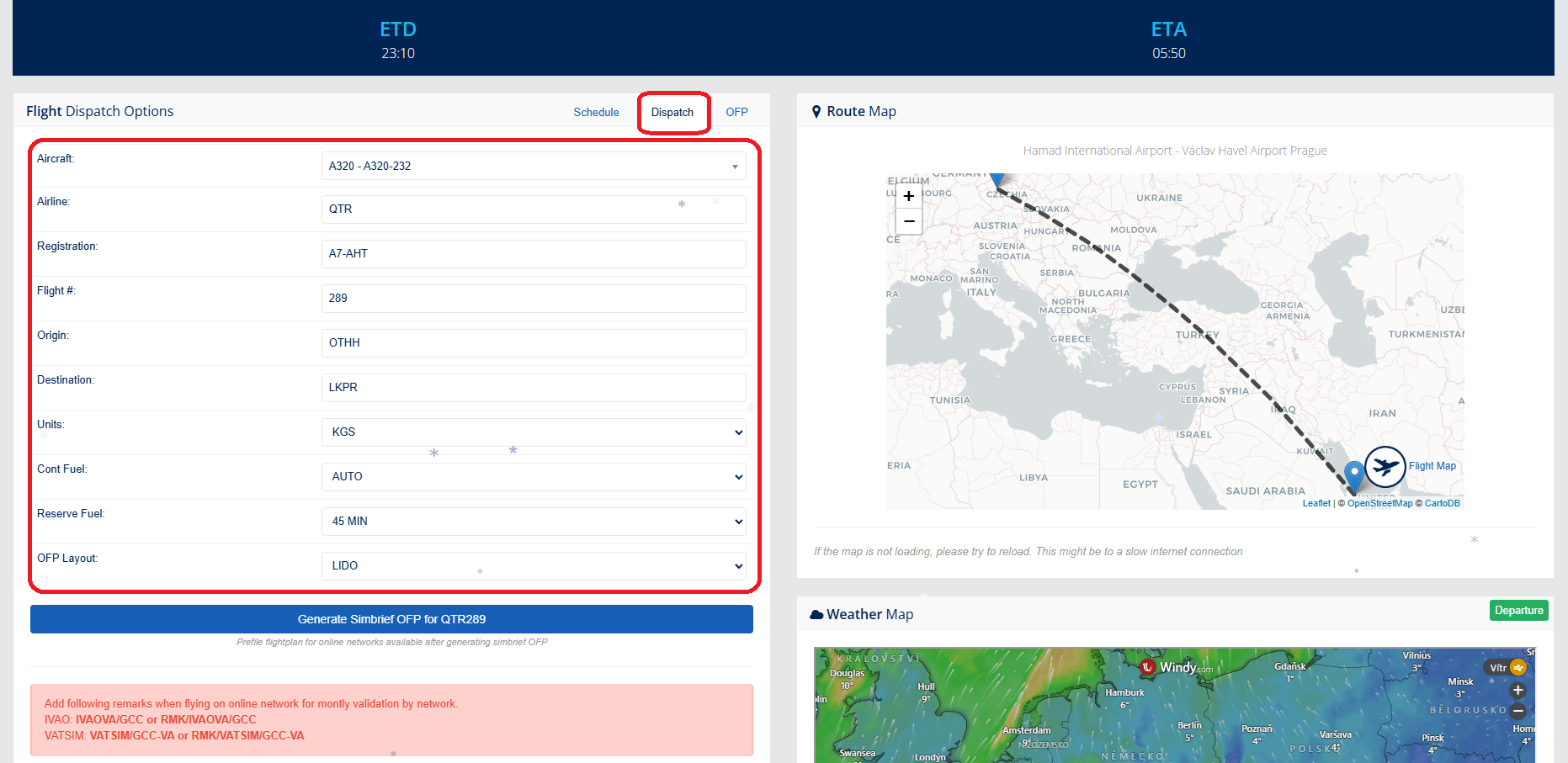
Dispatch tab:
Select the aircraft
Airline - leave what it chose for us (booked flight)
Registration - select the aircraft registration
Flight # - leave what it chose for us (booked flight)
Origin - Departure airport
Destination - Arrival flight
Units - Units in which we will call the resulting OFP (we can switch to KGS)
We can leave the rest.
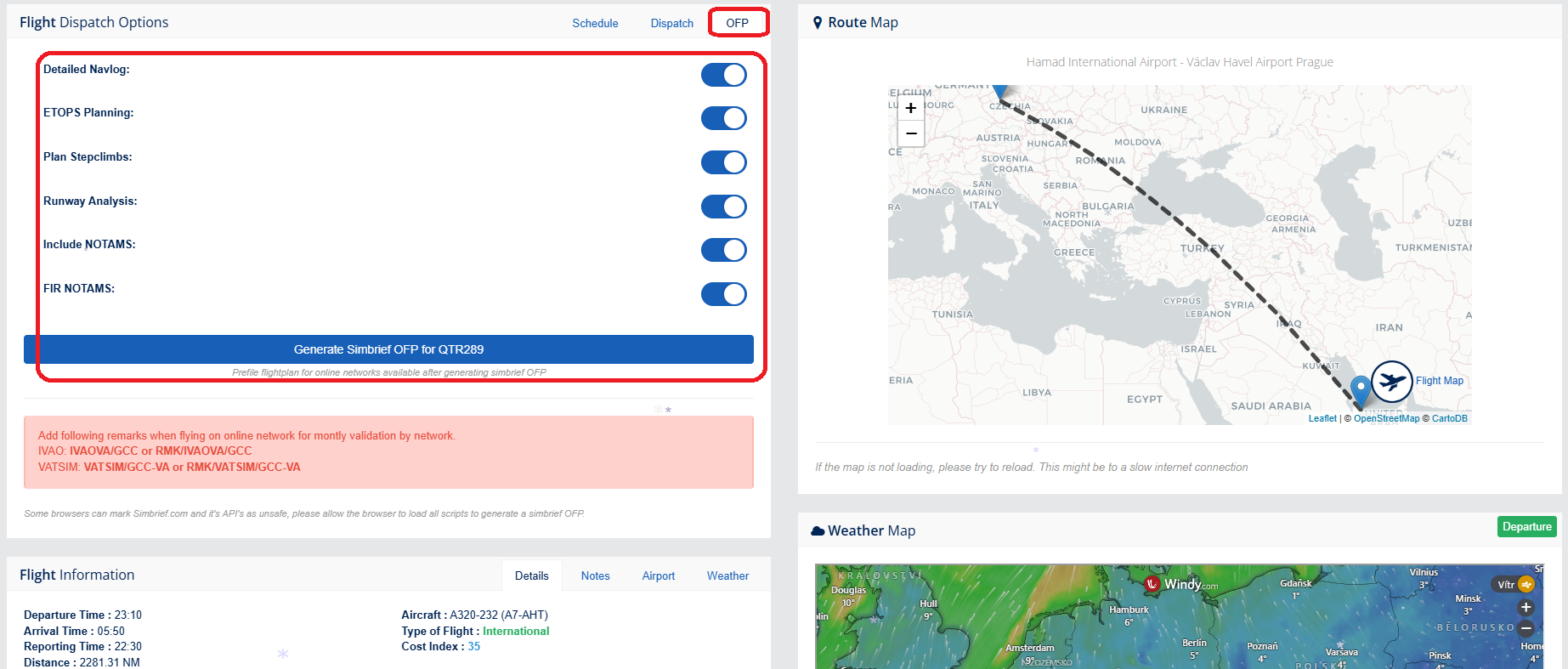
OFP tab:
We can leave the rest.
After filling in, click on the "Generate Simbrief OFP for QTR289" button
Now we have the complete Briefing for our flight Doha to Prague.
On this page we can, for example, use it to fill out a flight plan for VATSIM, IVAO and or POSCON.
Find out the ATIS from the departure or arrival airport or, if necessary, our Alternate Airport.