
Charter Flight
General Information:
If you want to fly a flight that is not on our scheduled flights, use our Charter system.
How to create a flight:
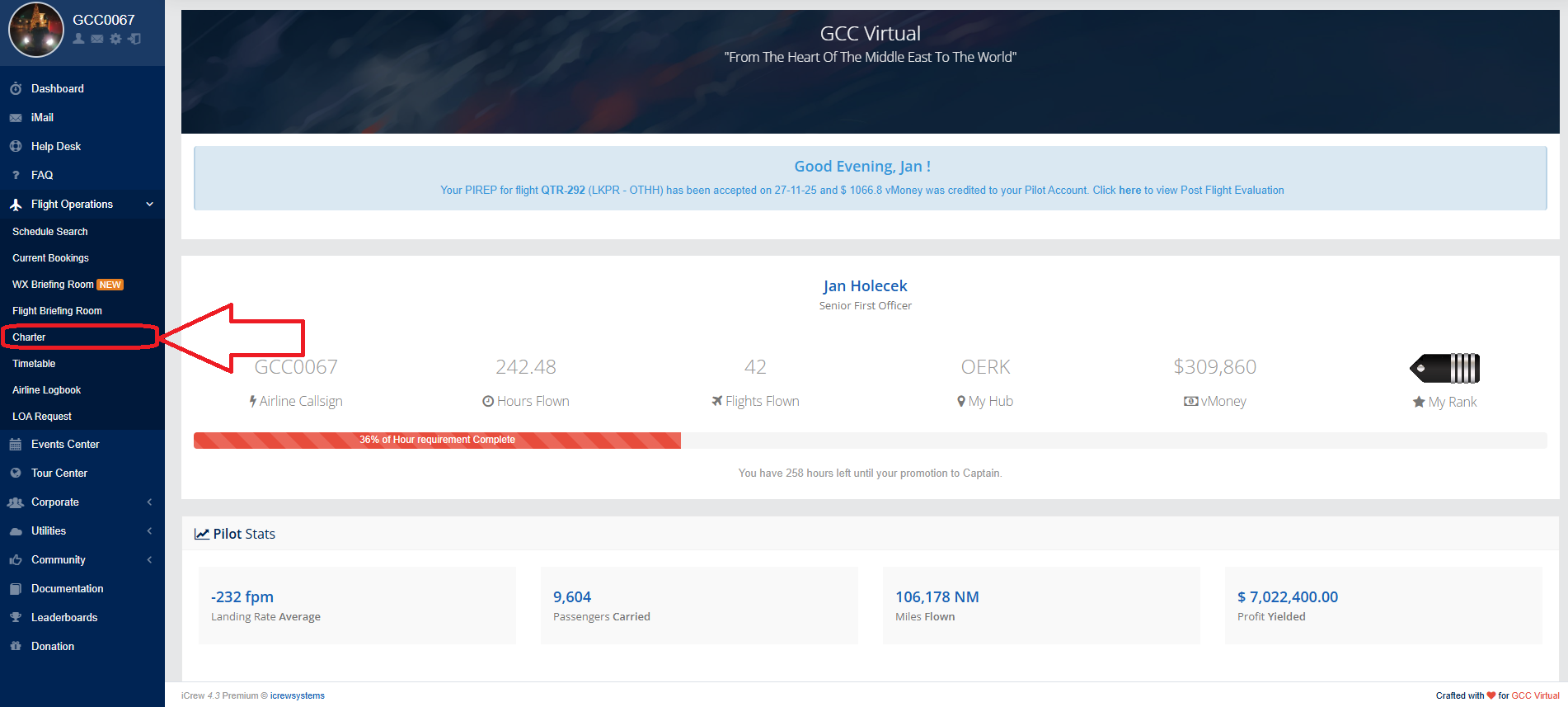
Go to the GCC Virtual homepage. On the left menu, click on Flight Operations, then click on "Charter" in the menu.
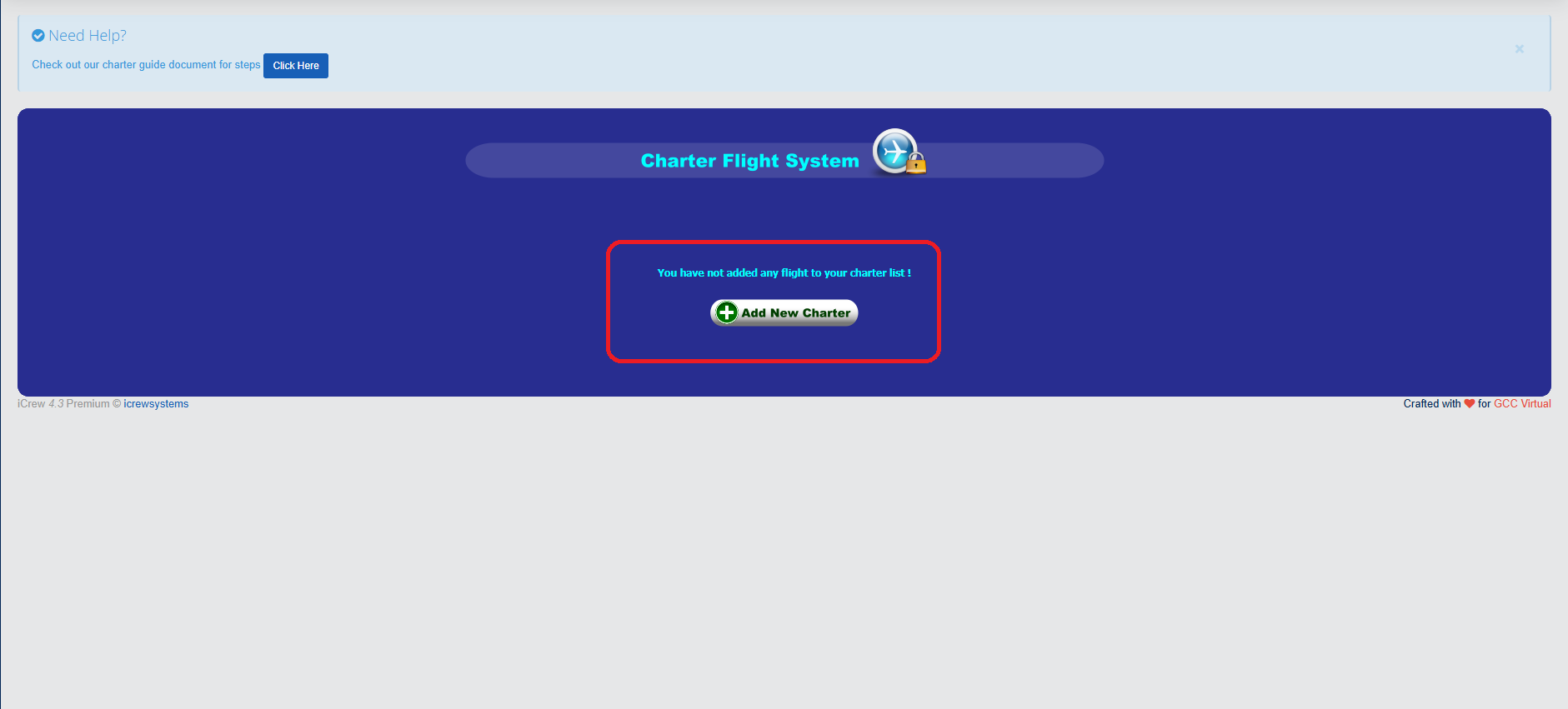
After clicking, the Charter system will open. If we want to add a flight, we click on "Add New Charter"
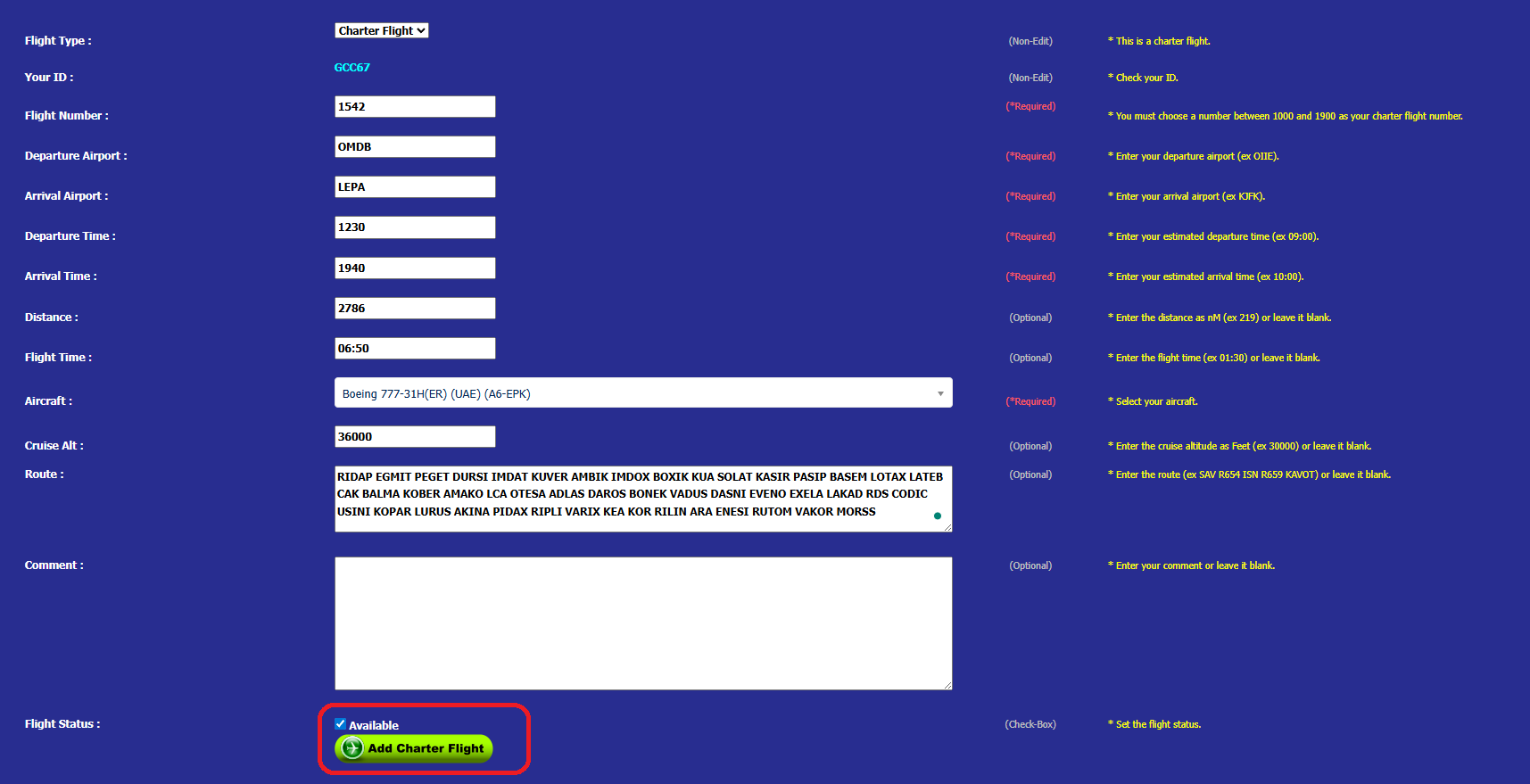
To create a flight, you must fill out the form. After filling it out, it is important to click the "Available" button. If you do not click it, the flight will not be created correctly. Once completed, click "ADD Charter Flight".
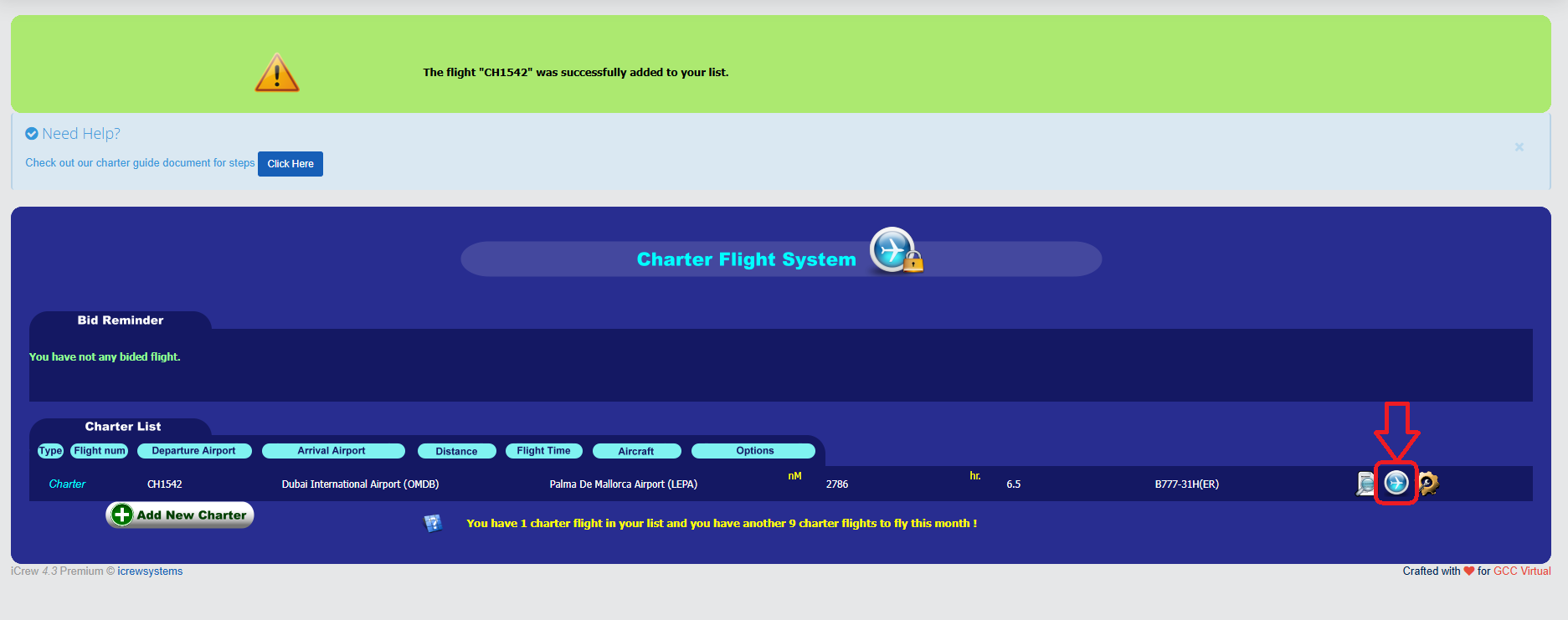
You will now see your flight in the system. The flight is ONLY created. This means that you will not see it in Booking yet.
To make the flight visible in Booking, you must click on the "Bid this flight" button.
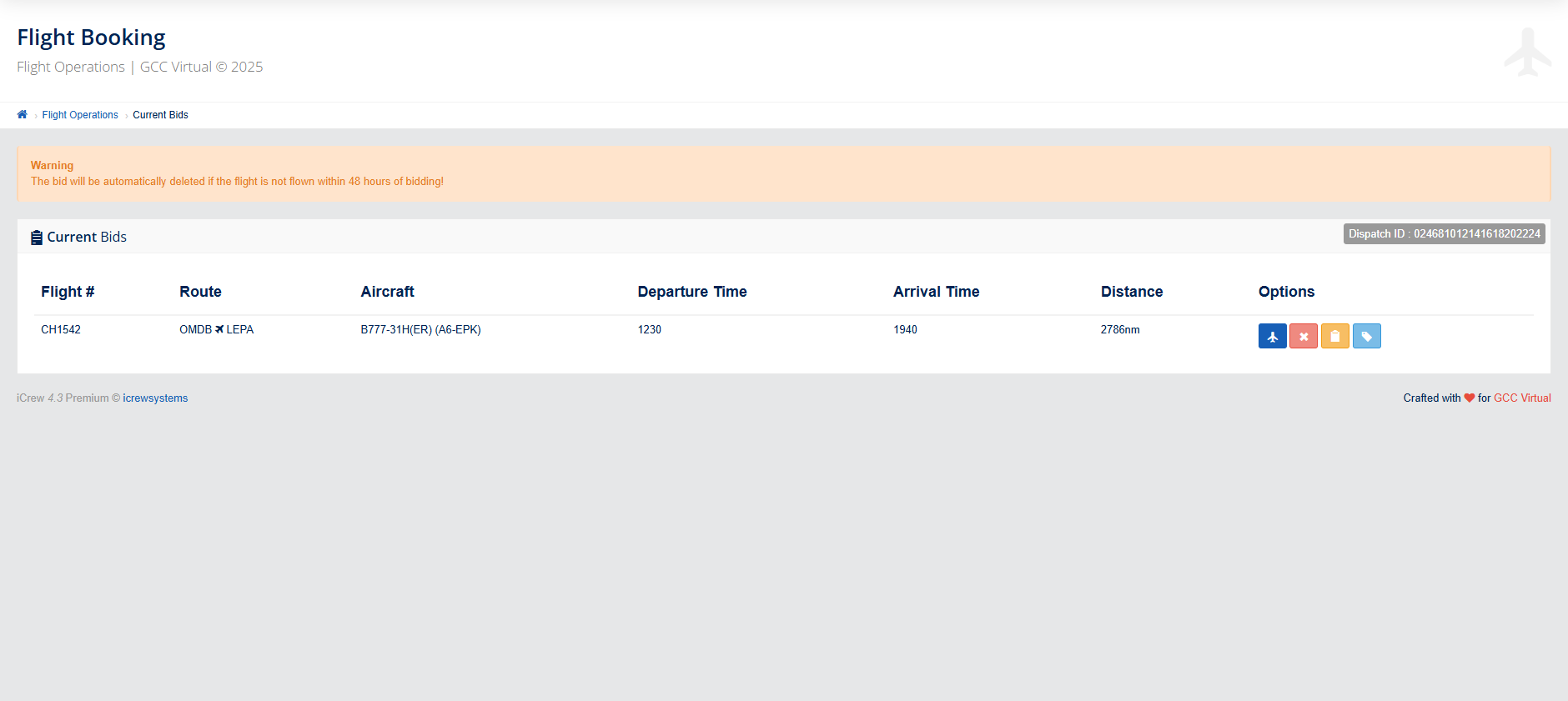
The flight is now booked and can be found on the Booking page and in SmartCARS.
Only 10 Charter flights can be flown per month. The system resets every new month.