Now we will book our flight using SmartCARS. This way is faster. To book a flight, we must have SmartCARS installed and be logged in.
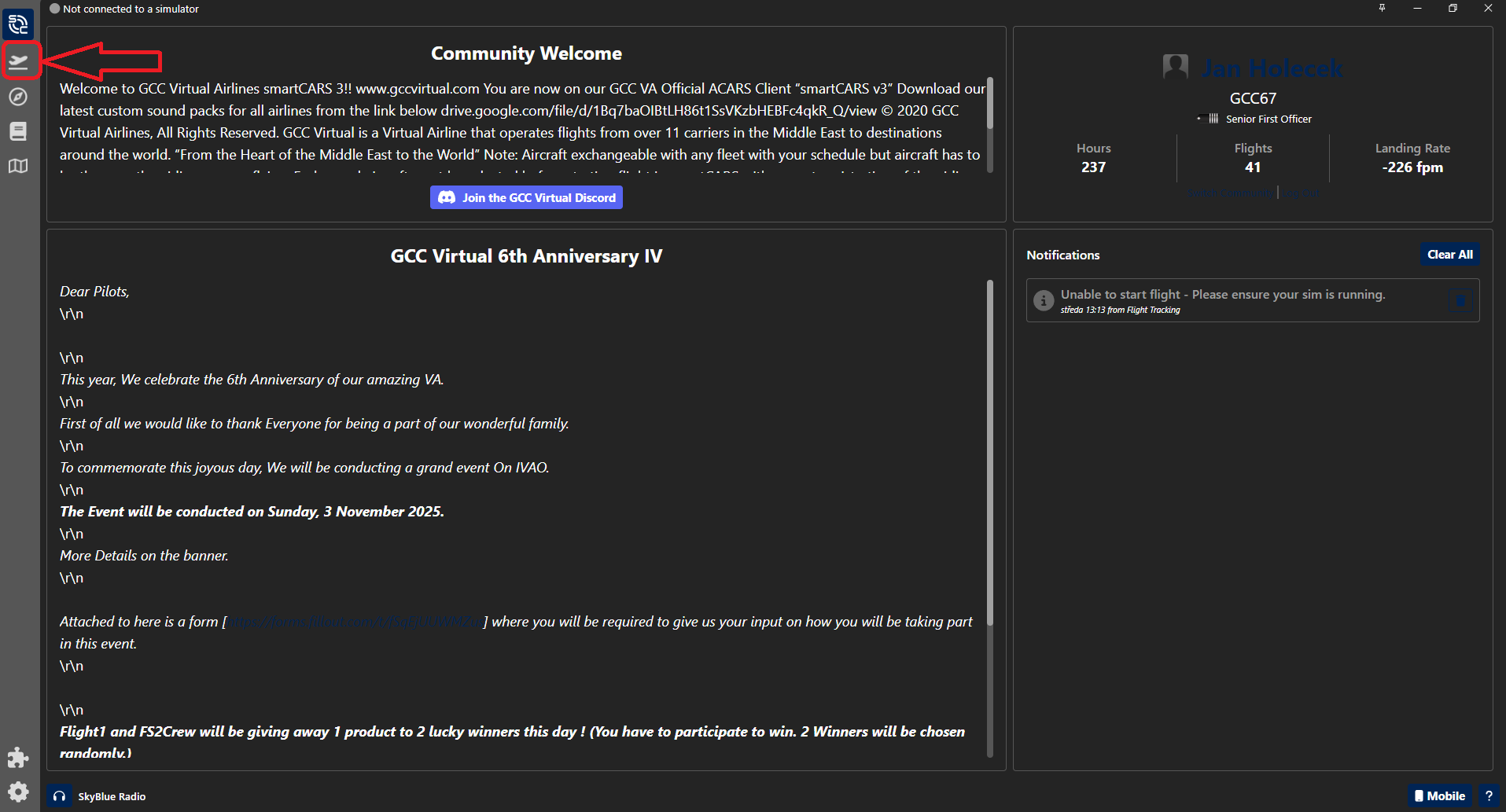
If we meet these two conditions, we open SmartCars on the home screen.
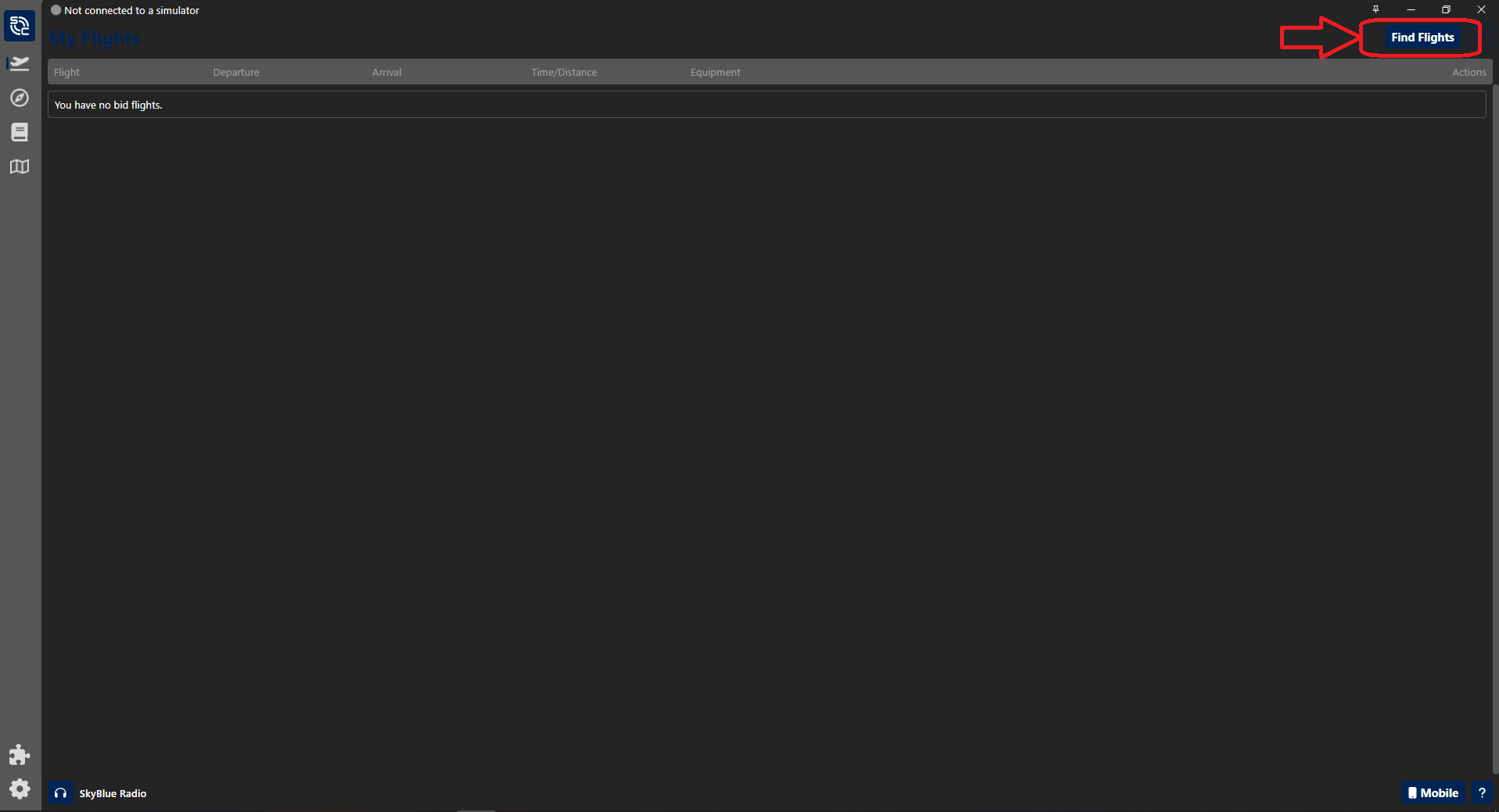
Now select the "Flight Center" icon in the menu on the left. After clicking, click the "Find Flights" button.
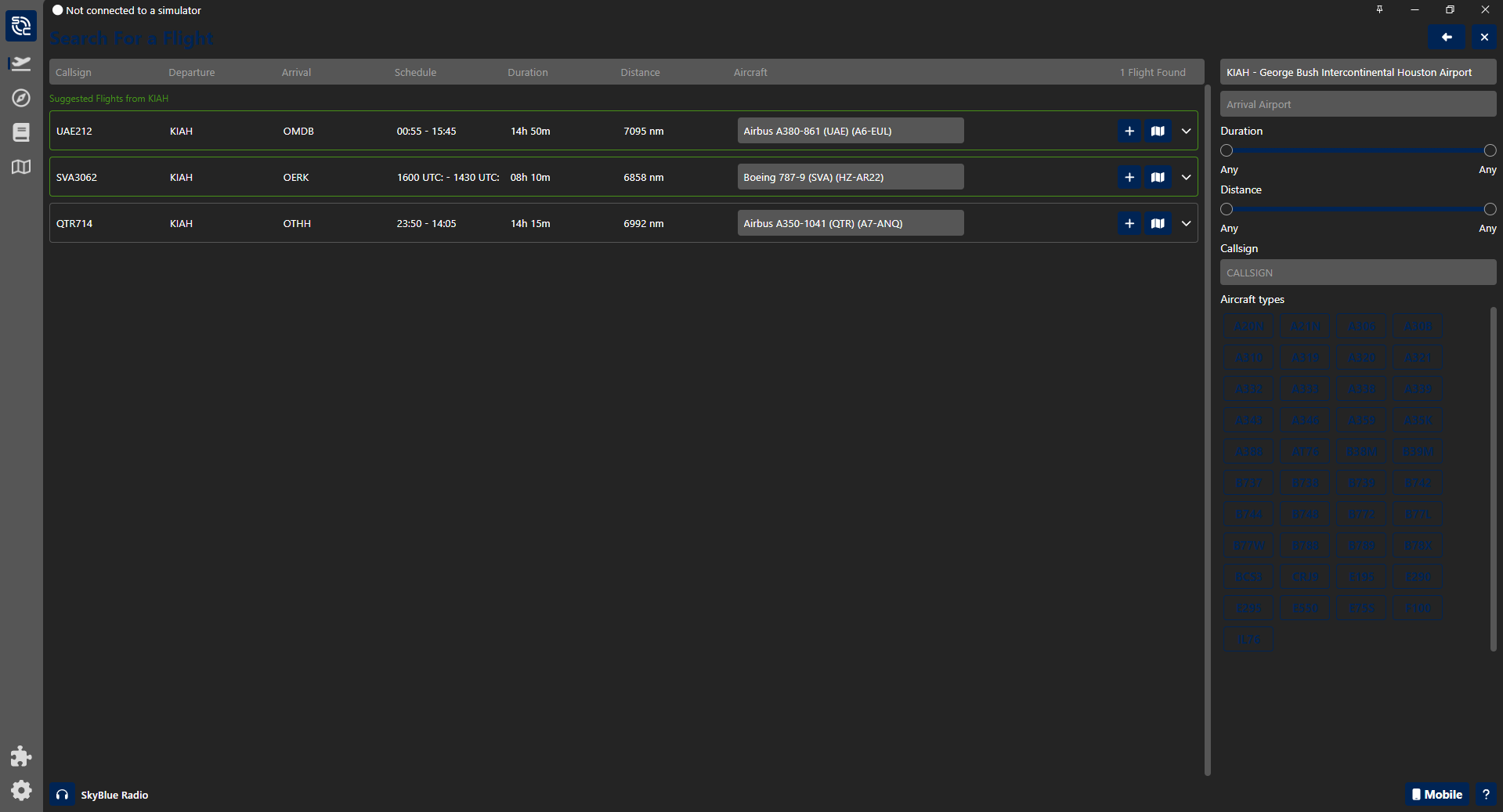
Clicking on this button will open a list of flights from your current destination!
If you want to fly from another destination, you have to write the ICAO airport code in the upper right corner. There are also filters here, which we showed in the iCrew center. It works the same here.
Example:
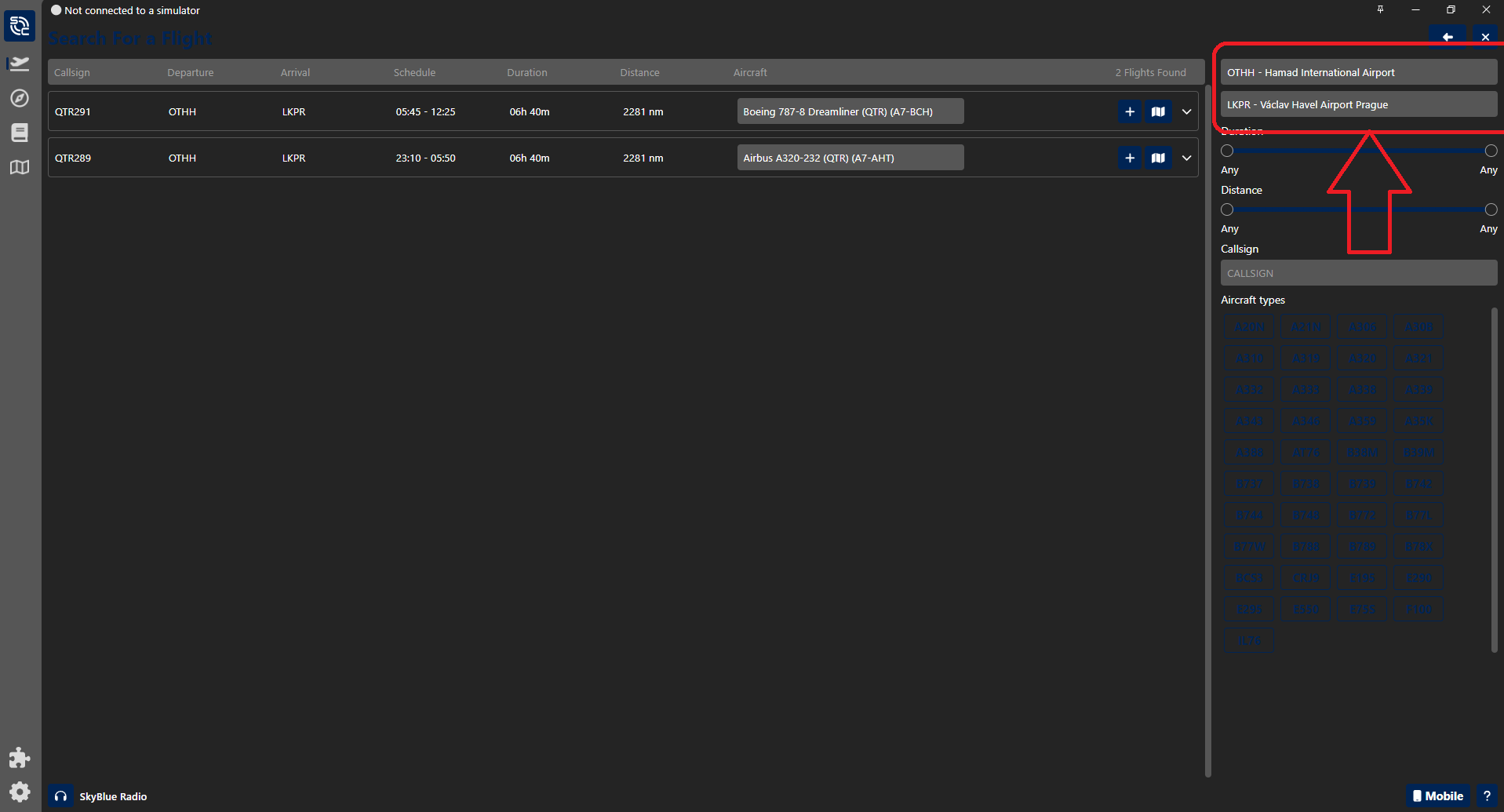
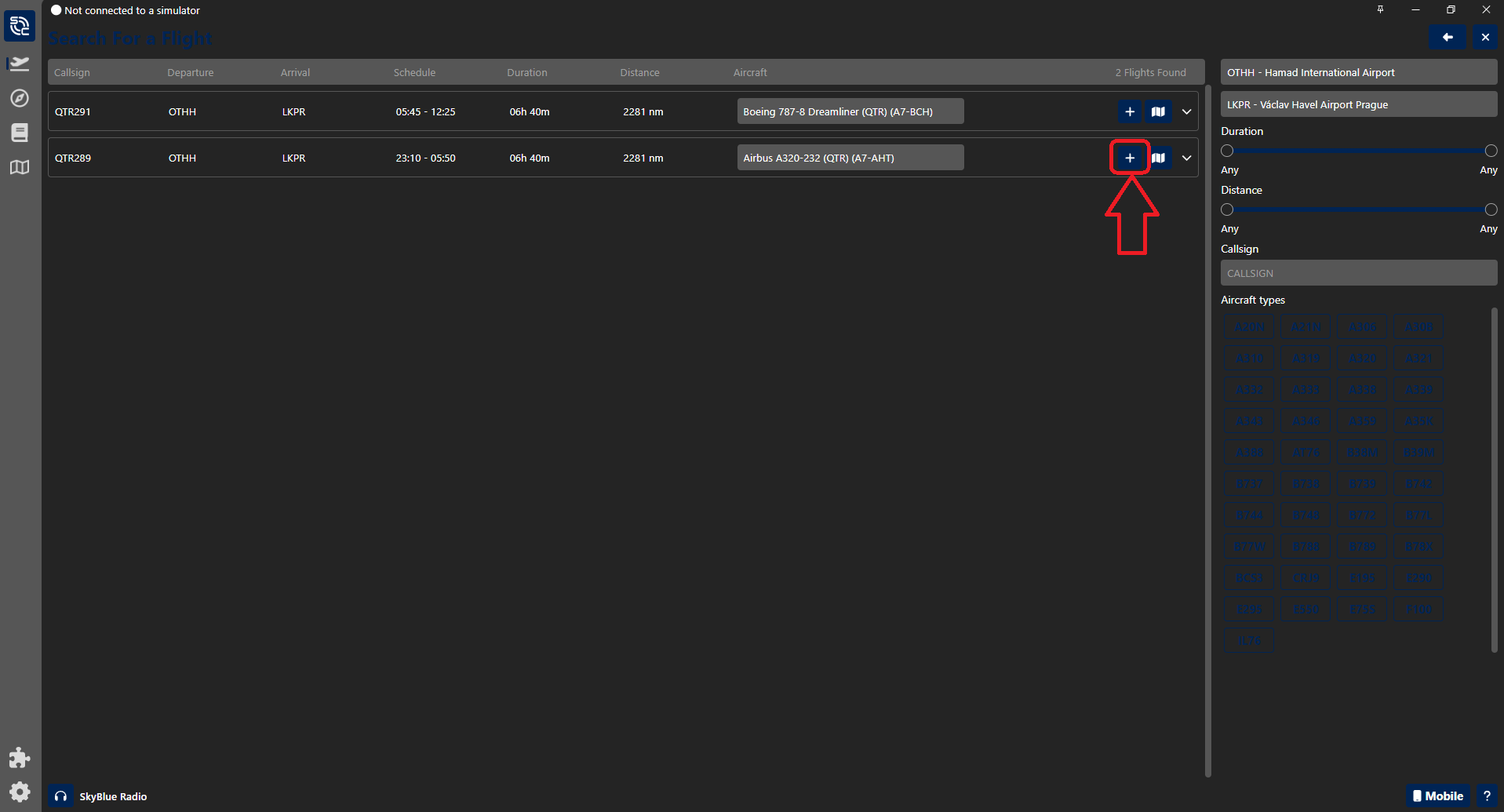
Now we will show you how to book a flight from Doha to Prague.
In the Departure filter we find Doha airport (OTHH)
In the Destination filter we find Prague airport (LKPR)
If we want to book a flight, we click on the + next to the flight we have chosen.
All our flights are scheduled according to reality. If you find a flight that we don't have here, please send us an email at fod@gccvirtual.com or on our Discord channel "missing-schedule-request".


No Comments