A Manual PIREP is used to submit a flight even if it has not been completed properly. A Manual PIREP follows certain rules, which we will describe below.
Rules for submitting Manual PIREP:
Allowed only for Sim crash situation.
Manual PIREP is only accepted if the flight is crashed after descent or approach.
How to submit a Manual PIREP:
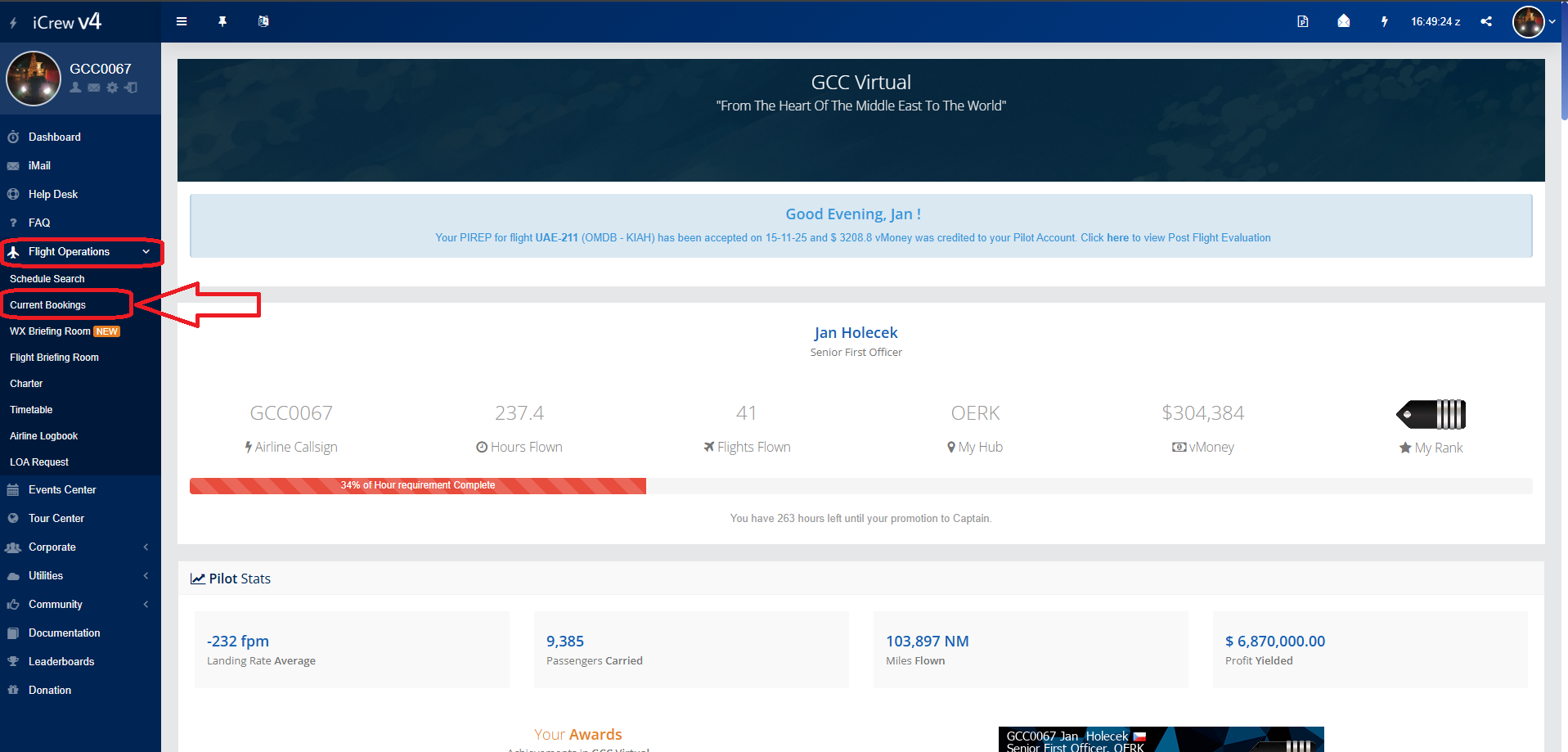
Go to the home page. On the left in the menu we find "Flight Operations" and select "Current Booking"
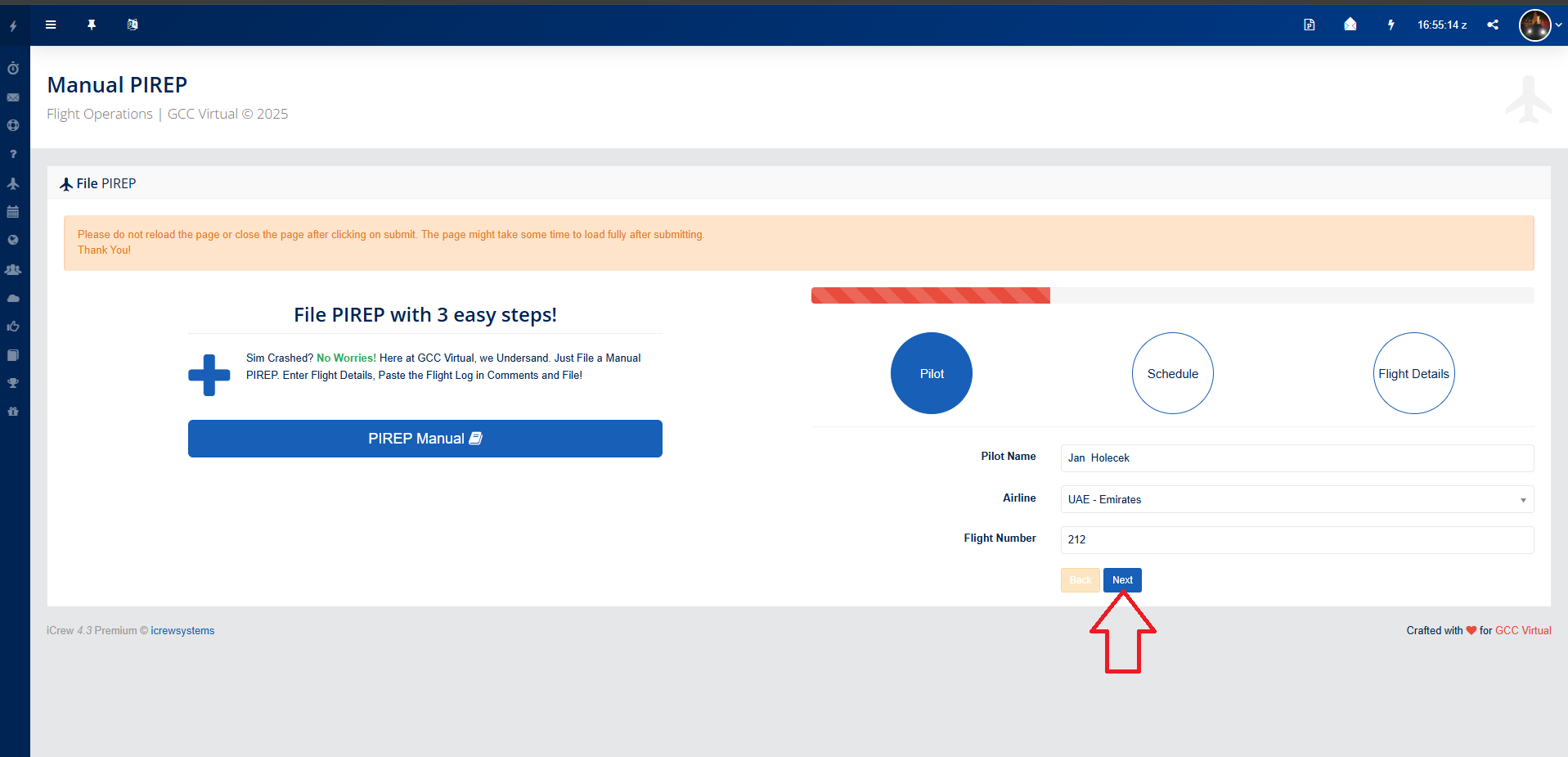
then click on the first icon with the blue plane "File PIREP". A form will open for you to send your Manual PIREP. You do not fill in the first section, it will be filled in automatically, you just check it and press the "Next" button.
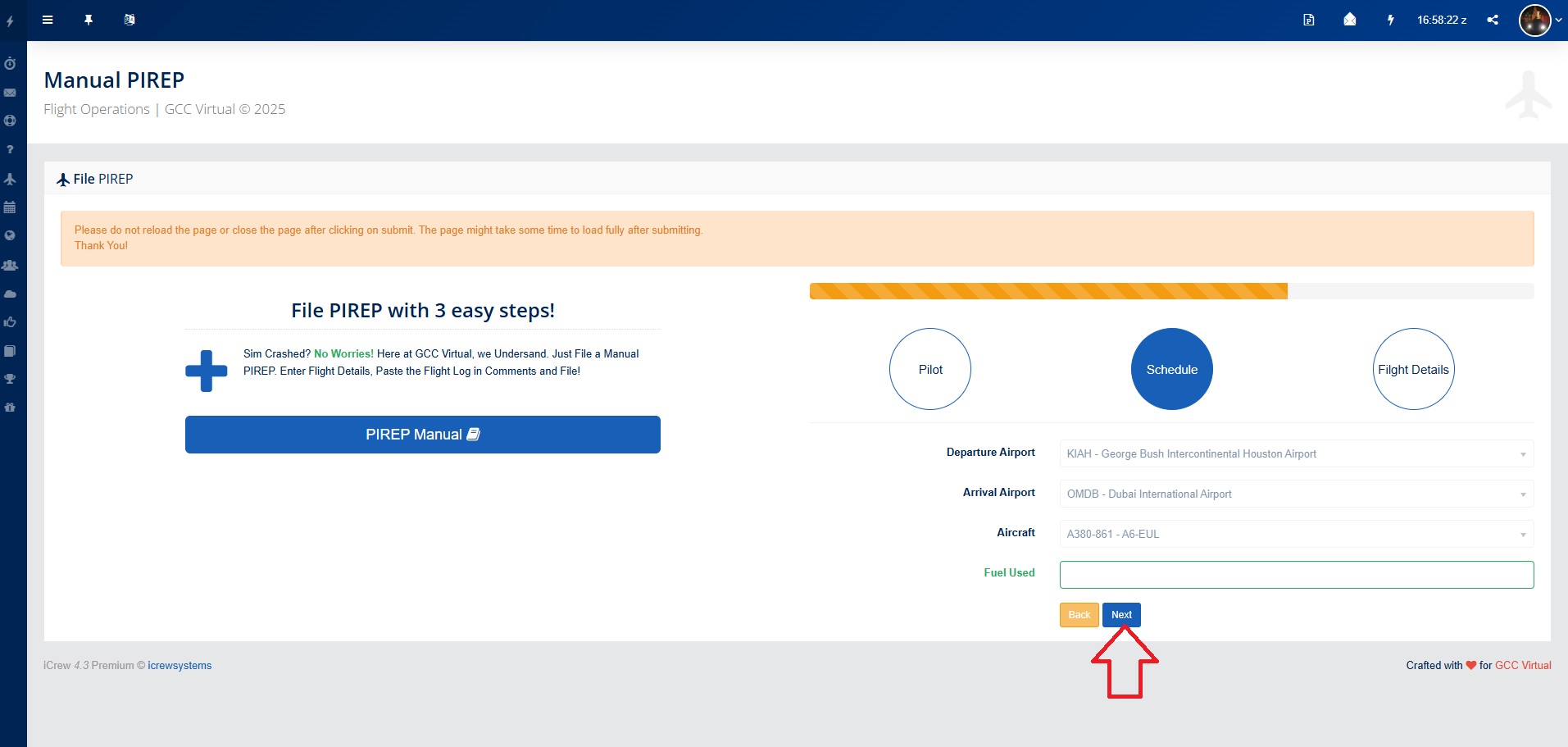
In the next step, the "Schedule" tab will open, where you will fill in how much fuel you used. After entering the value, press "Next" again.
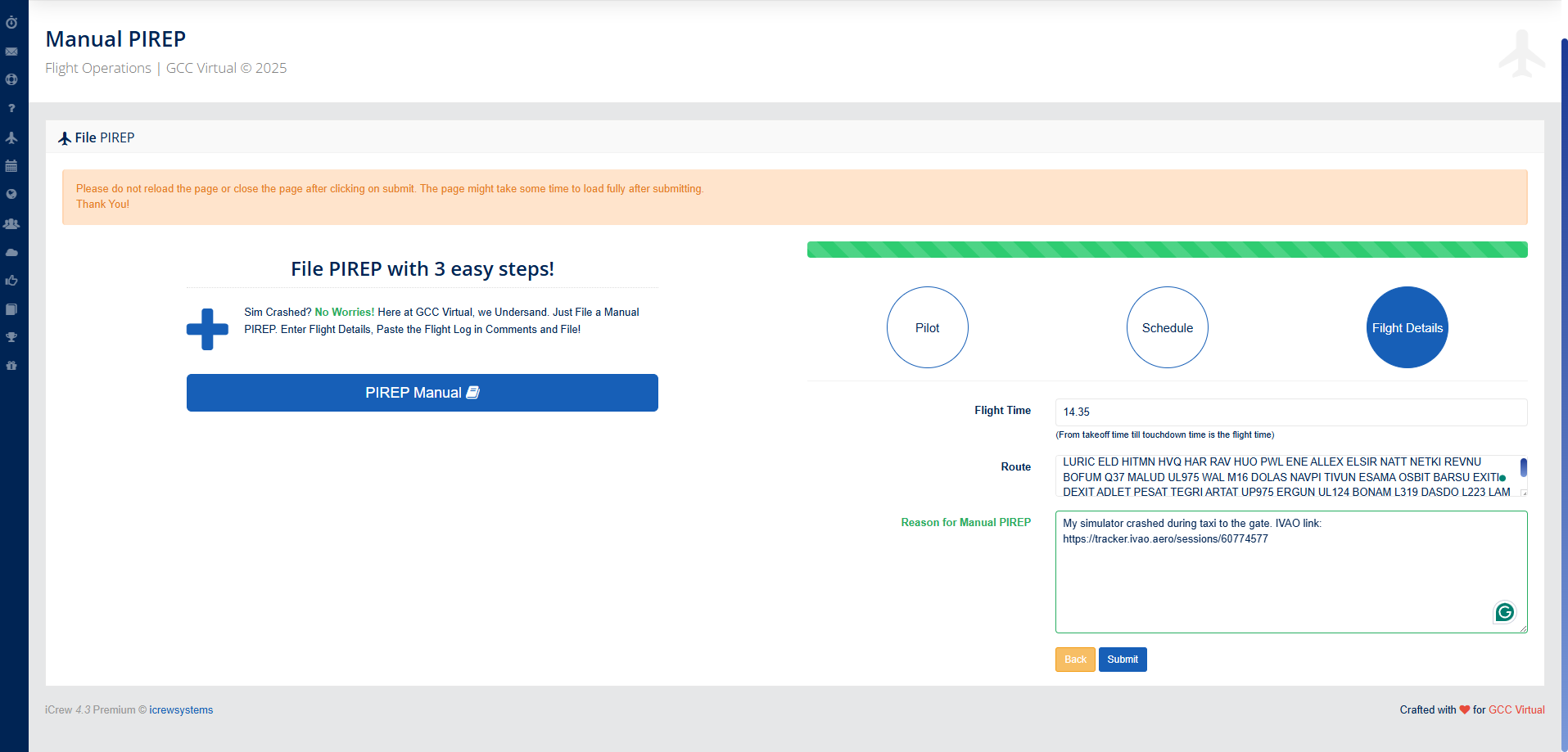
In the last tab, fill in your flight time (from takeoff to simulator crash). When entering the time, DO NOT USE A COMMA, BUT A DOT. Next, in the Reason field, fill in why you are sending a Manual PIREP. Here, insert the copied log from SmartCARS or send a link from IVAO Tracker, VATSIM tracker or a flight image from VOLANTA, ProjectFLY.
When finished, click the Submit button.
You can also send your flight proof from IVAO Tracker, VATSIM Tracker, Volanta or ProjectFLY to our email membership@gccvirtual.com or to our Discord using the Ticket system.
If no proof of flight is submitted, your Manual PIREP will not be accepted. The Membership Department reserves the right to reject any Manual PIREP that does not meet the requirements.

No Comments